You need StreamStats!
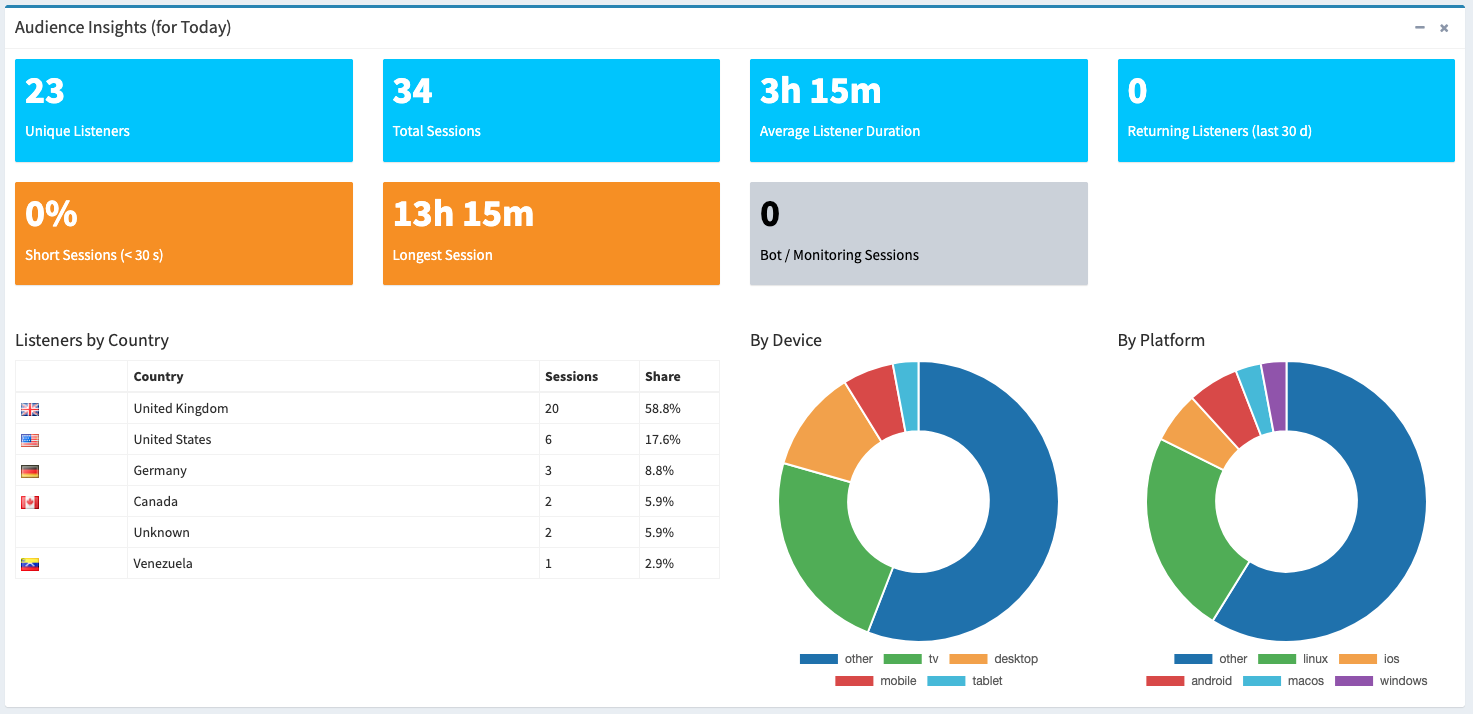
Introducing 'StreamStats', our service that provides you with a clean, easy to view dashboard that shows how many listeners your station gets. Filter by day, week and by month.
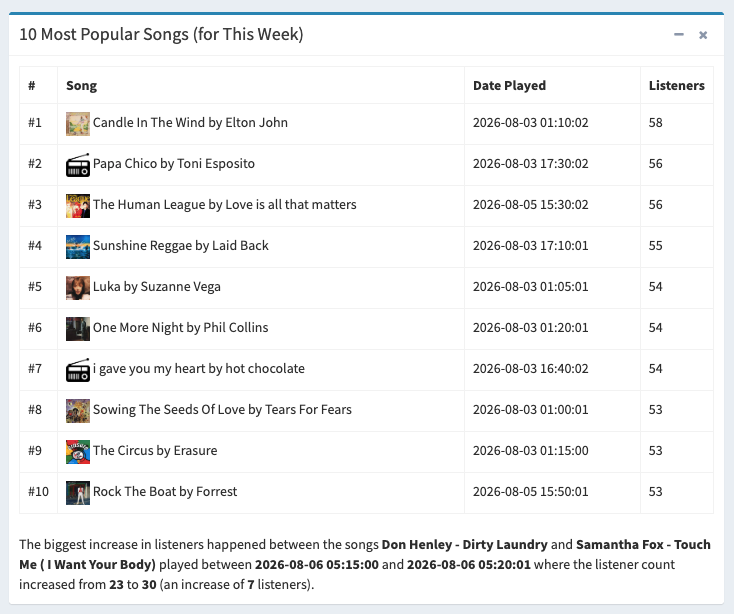
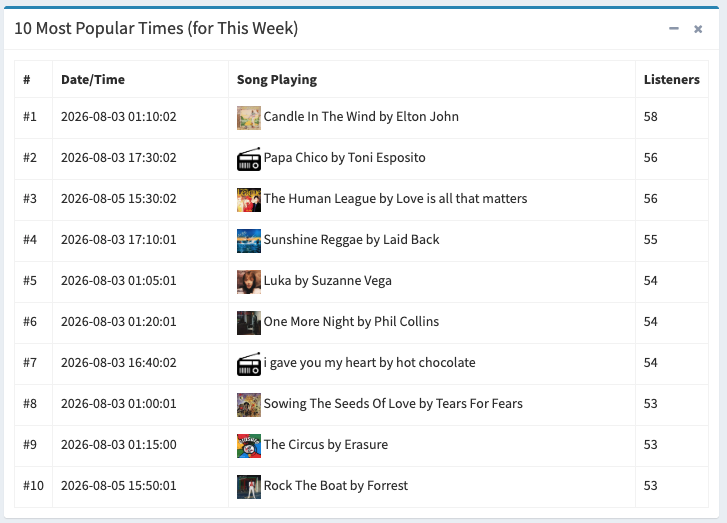
You can also easily view the most lisened to song/s (top 10), the least popular songs and also the most/least popular times of day based on the number of listeners at that time.
Simply sign up, enter your streaming server details (we currently support Icecast, Shoutcast and Live365) and wait for the data to be populated. You'll then be able to immediately see the results and the charts will start populating with data.
Then simply filter by day, week or month and view a full range of insights into the number of listeners yoru station had, the busiest times of day, times of the week and the most popular songs played on your station (based on number of listeners when the song played).

Simply sign up, submit your audio stream details (we currently support Icecast, Shoutcast and Live365) and that's it! We'll start collecting data on your listener figures and songs and you can view this in realtime on our dashboard.


Simply visit this page, select the StreamStats service, create an account and submit the info.
Simply sign up, submit your audio stream details (we currently support Icecast, Shoutcast and Live365) and that's it! We'll start collecting data on your listener figures and songs and you can view this in realtime on our dashboard.